> ## Documentation Index
> Fetch the complete documentation index at: https://docs.enkryptify.com/llms.txt
> Use this file to discover all available pages before exploring further.
# GitHub
* An Enkryptify workspace with admin access
* A GitHub account with admin/owner permissions on the target organization and repositories
* Ability to install the Enkryptify GitHub App on the selected organization
> Note: If your organization uses SAML SSO, ensure you've authorized the Enkryptify GitHub App for the org before starting.
When installing the Enkryptify GitHub App, we request only the permissions needed to create and update secrets:
* Repository permissions:
* Environments: read and write
* Secrets: read and write
* Metadata: read
> Enkryptify can't see any values of the secrets, it only sees the names. GitHub does not allow us to see the values of the secrets.
## Steps to complete
* Go to the `Syncs` tab of your project and click on `GitHub`.
* You'll be redirected to GitHub to install/authorize the Enkryptify app.
* Select the GitHub organization to install into.
This step is skipped if you previously connected GitHub.
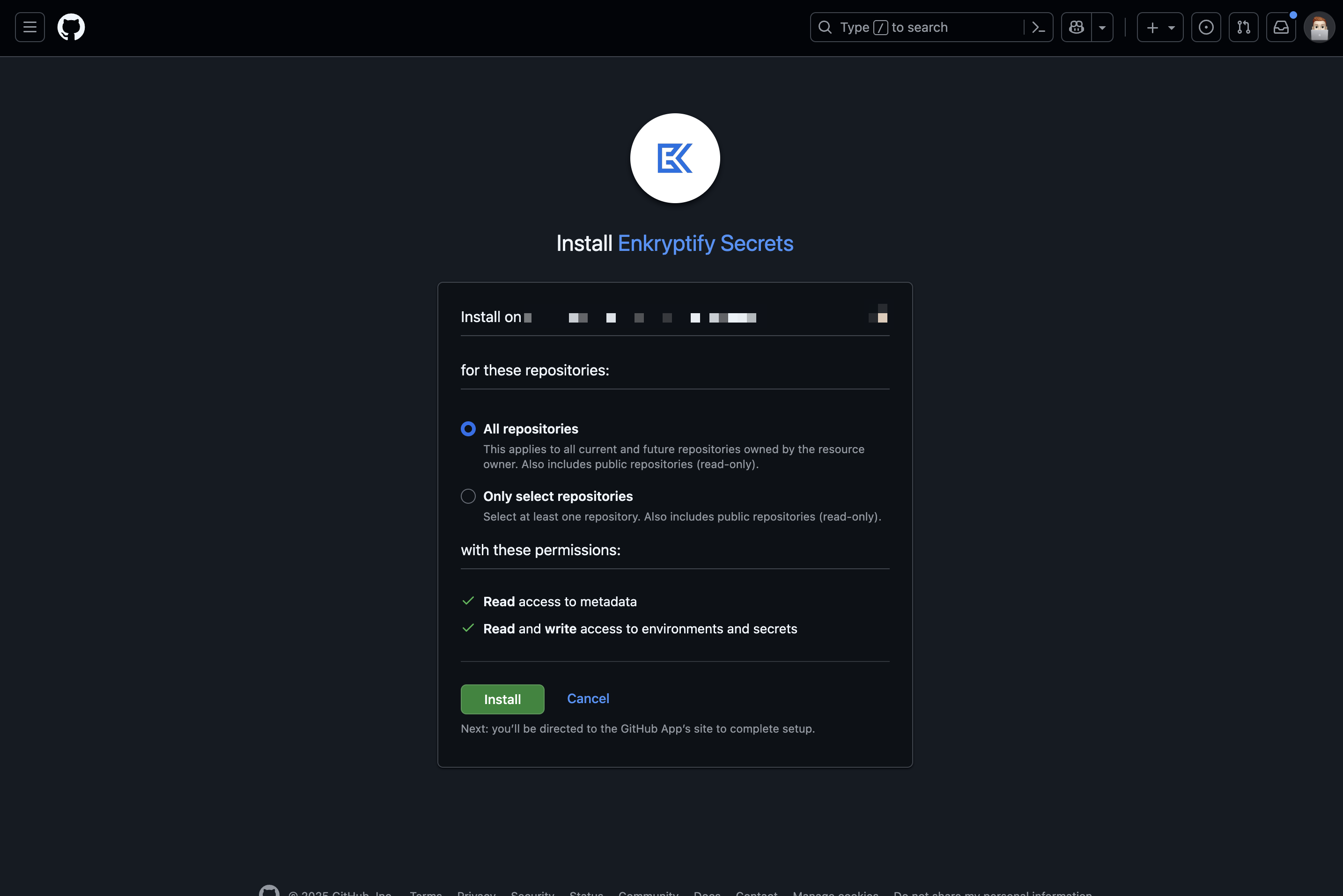 * Confirm the target repository for syncing secrets.
* Example: `main` → `production` or `develop` → `staging`.
In private repositories of free organizations, GitHub does not allow creating custom environments, you'll only see the default environment.
* Confirm the target repository for syncing secrets.
* Example: `main` → `production` or `develop` → `staging`.
In private repositories of free organizations, GitHub does not allow creating custom environments, you'll only see the default environment.